Features

Every button has a reason

We know the walls neurodivergent people hit every day — we hit them too. Each feature is an answer to one of those walls. Try them below, live.

Hands-on

Press a button
and try it for real

Tap a feature on the left and it actually runs on the right. Run the timer, spin the wheel, kick-start with a maze.

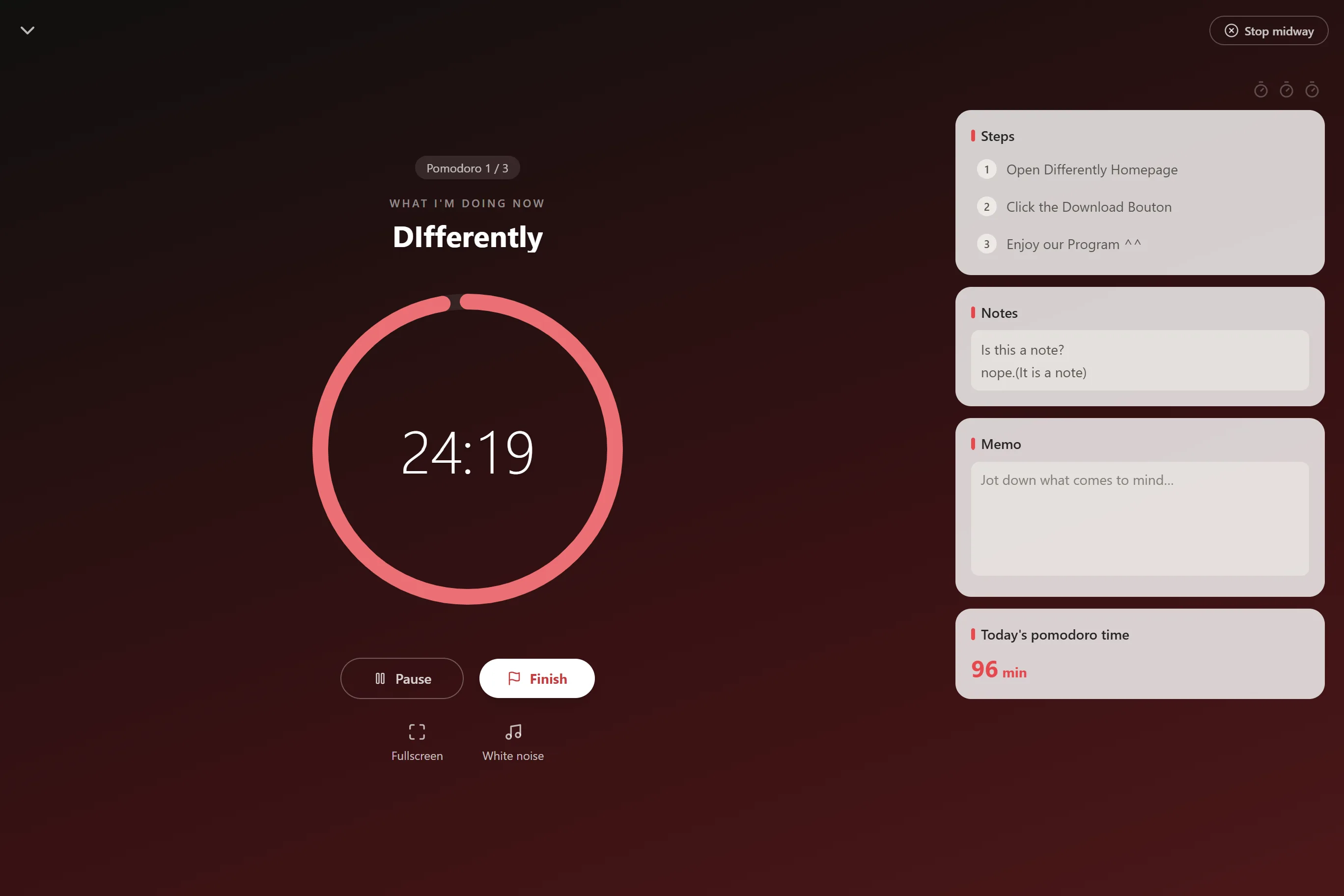
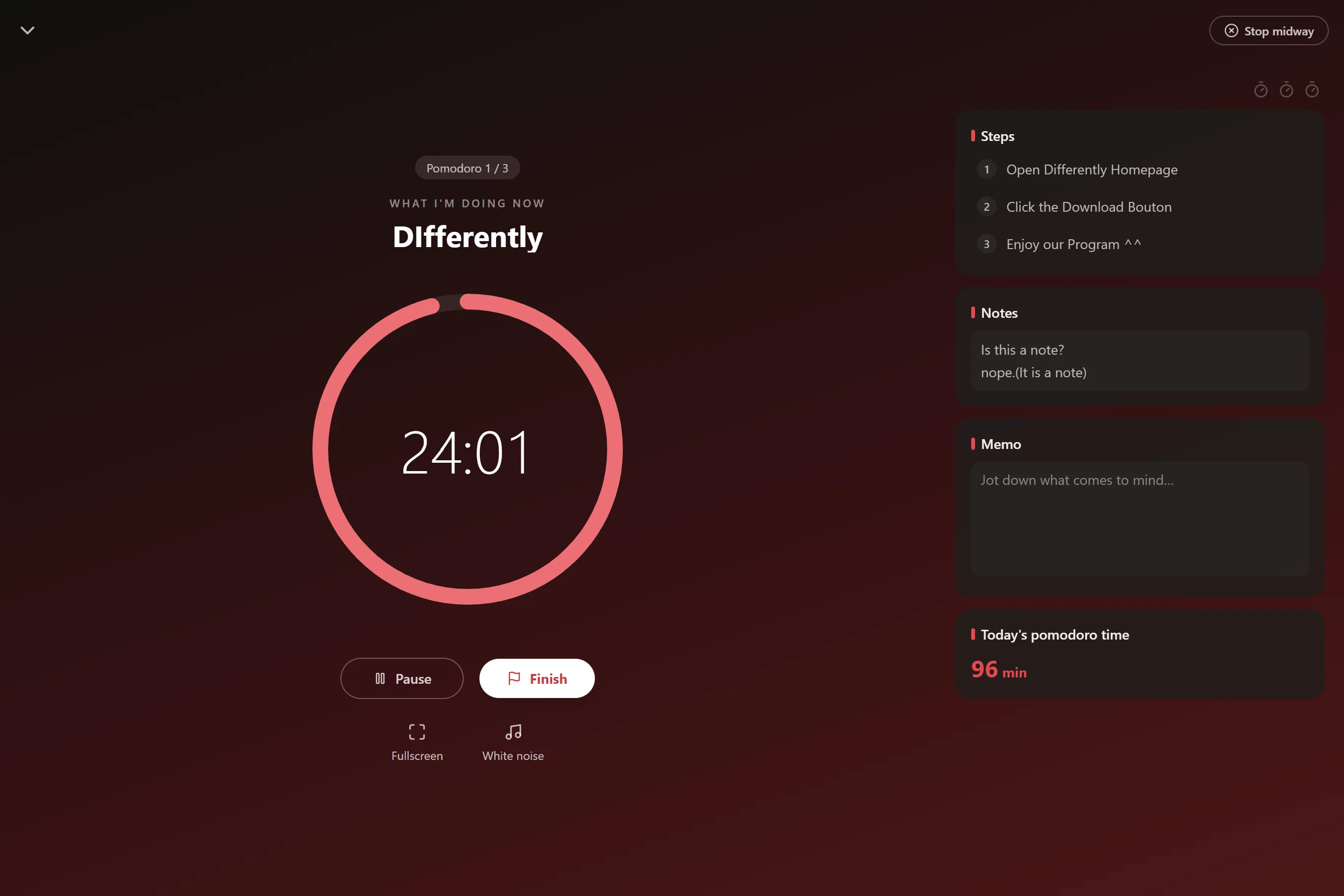
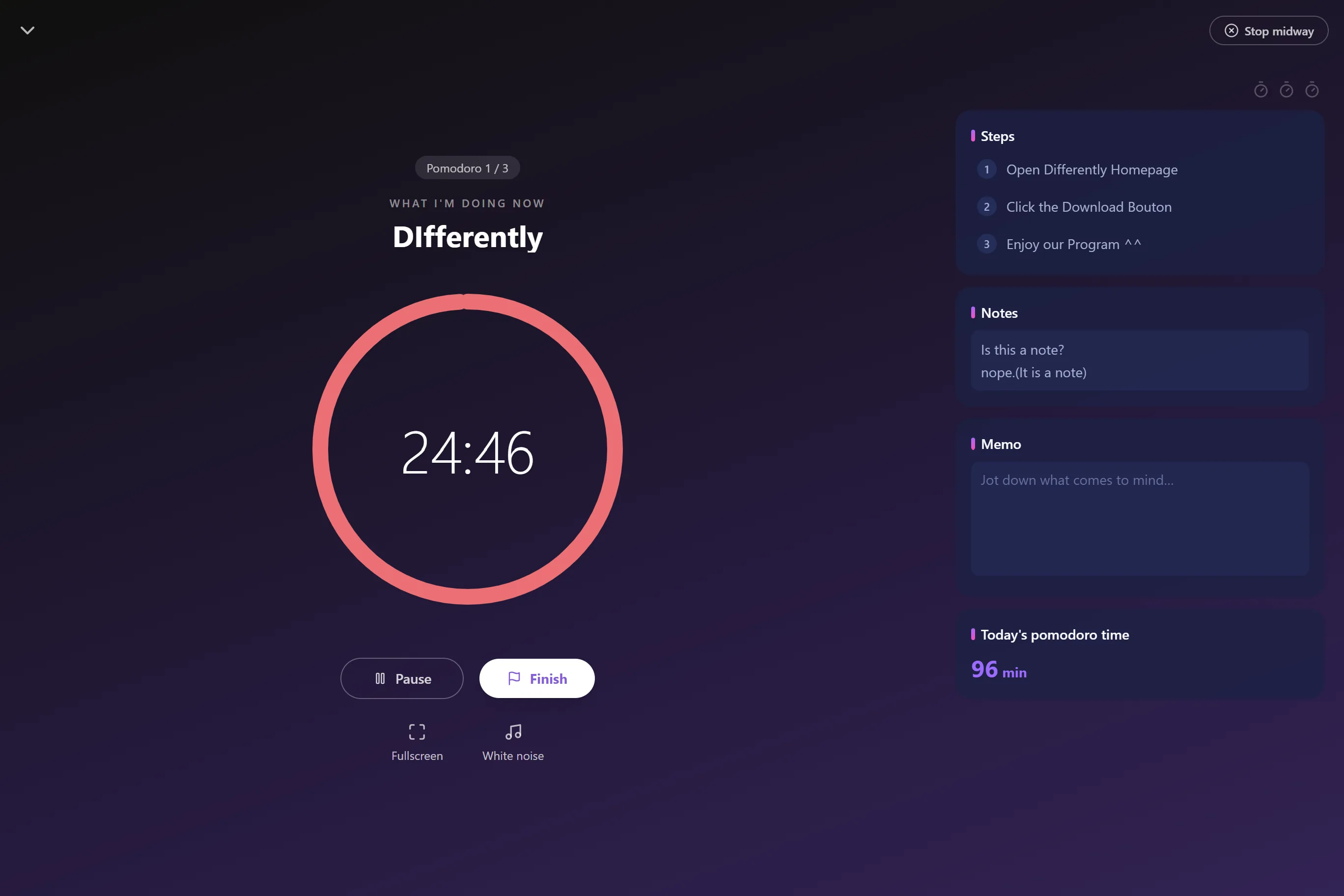
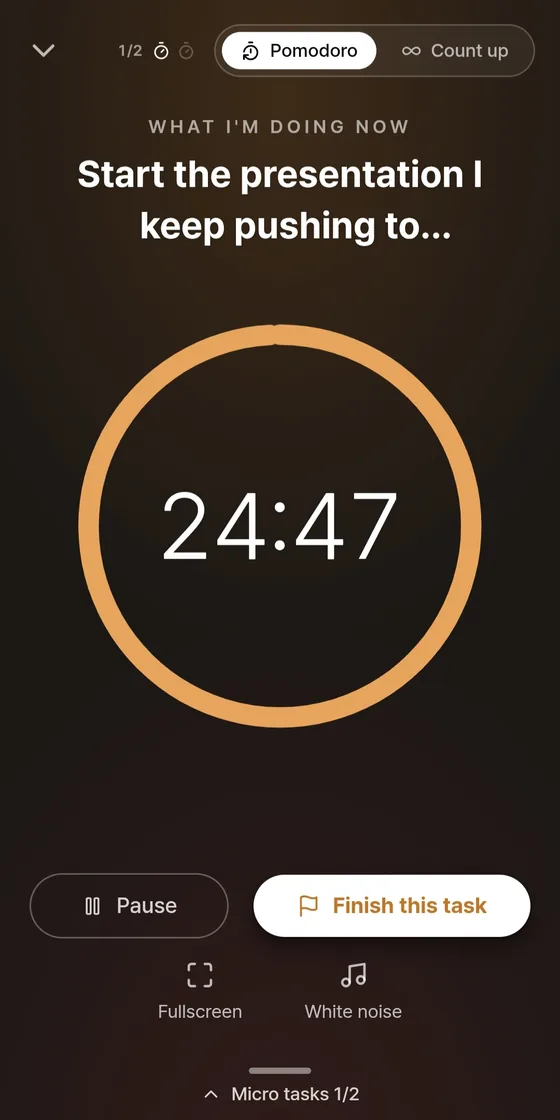
Focus now — one-task pomodoro focus screen (light theme) Focus now — one-task pomodoro focus screen (dark theme) Focus now — one-task pomodoro focus screen (neon theme)
Focus ranking · focusing together now
1Minjifocusing
2Amaliafocusing
3Junho5 min break
Send a friend request, get accepted, and you share only one thing: 'focusing / on a break'. Never your screen, never your tasks.
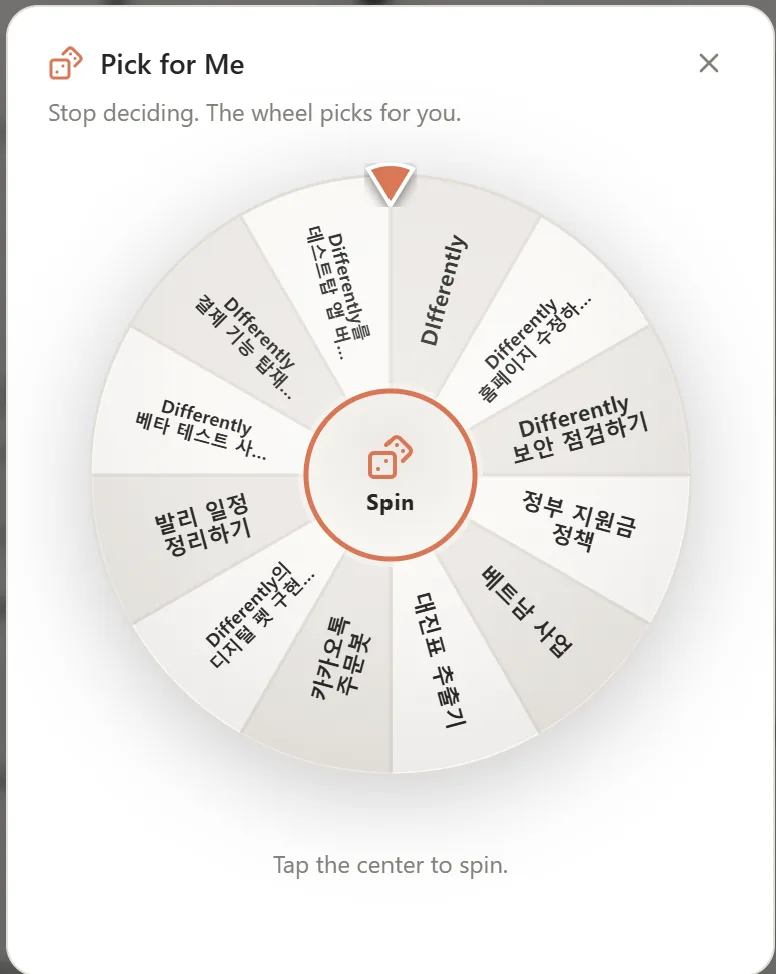
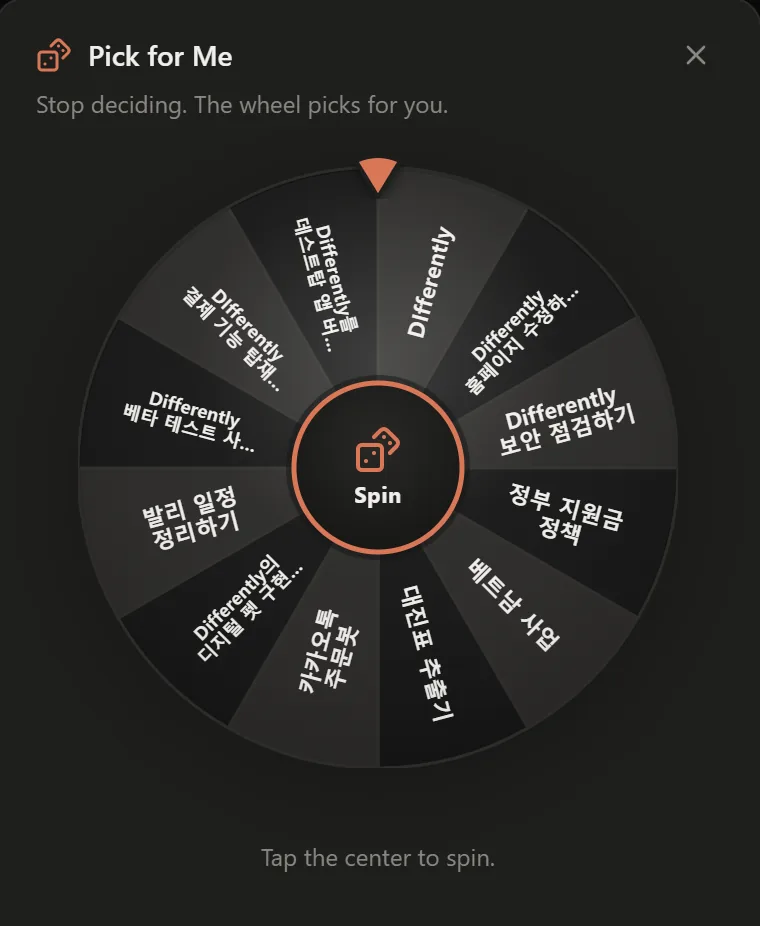
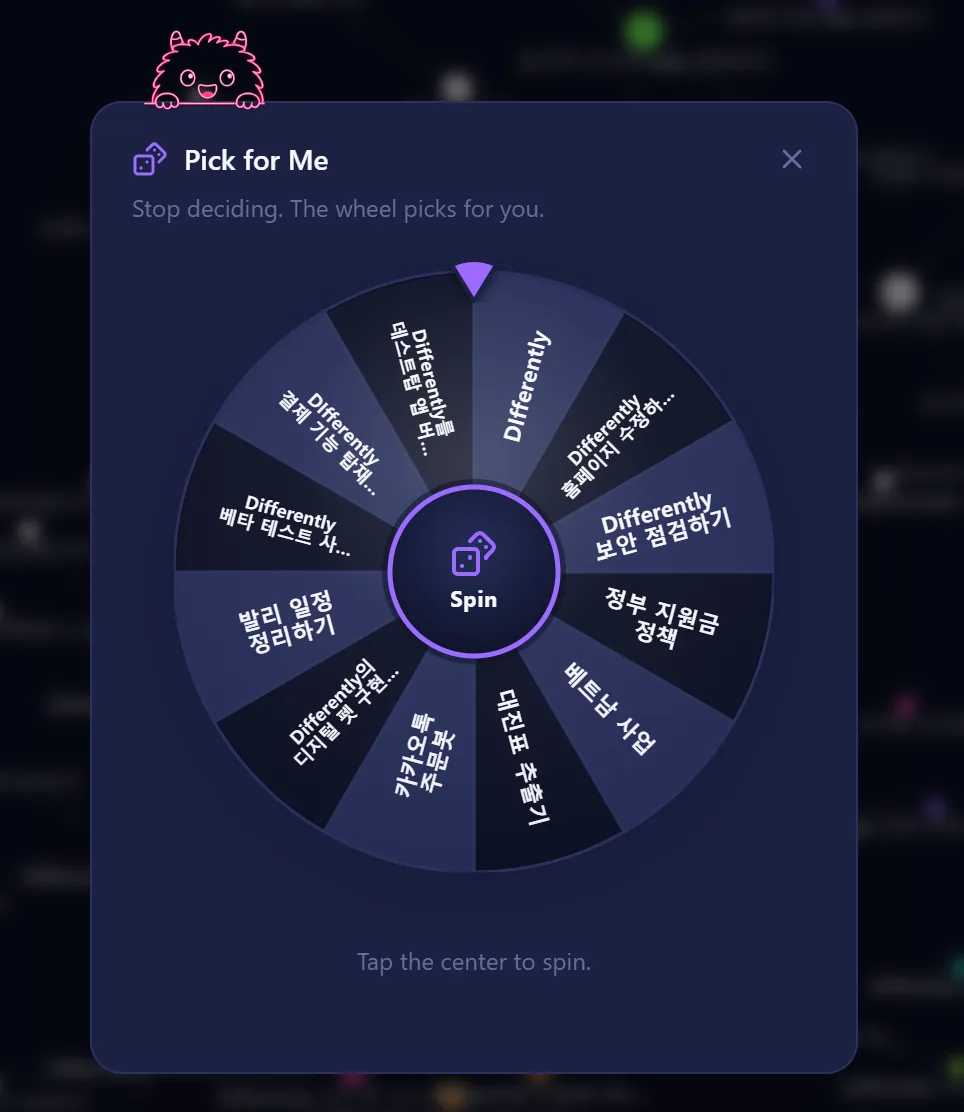
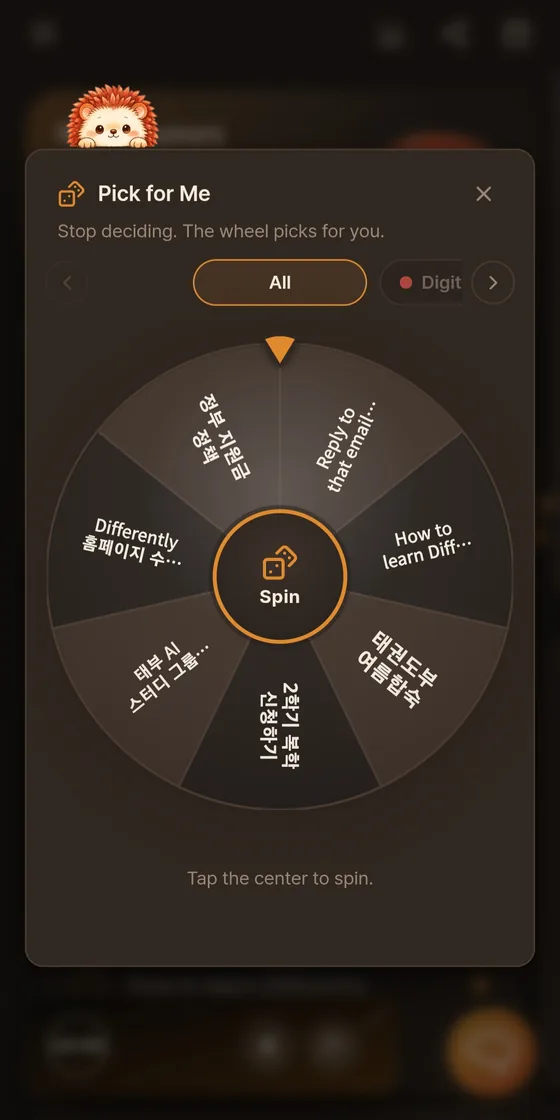
Pick for me · stop agonizing, let the wheel choose
Pick for me — the wheel decides your next task (light theme) Pick for me — the wheel decides your next task (dark theme) Pick for me — the wheel decides your next task (neon theme)
Stop the overwhelm and ease into motion · brain maze
0.0s
Arrow keys · WASD · buttons to guide the ball to the exit
Buddy · a companion that works in a corner of your screen
25:00
In the zone
Differently buddy
Draft the report
Turn on the timer and your buddy appears in a corner of the screen as a quiet companion working beside you. Go past your estimate and it lights up into 'in the zone'.
New · themes for your senses

Light. Dark.
And Neon Sign — made for ND senses.

Some brains need calm; some need spark. Neon Sign keeps the background quiet — deep midnight blue — and saves the neon for the moments that deserve dopamine: finishing something. More ND themes are on the way.

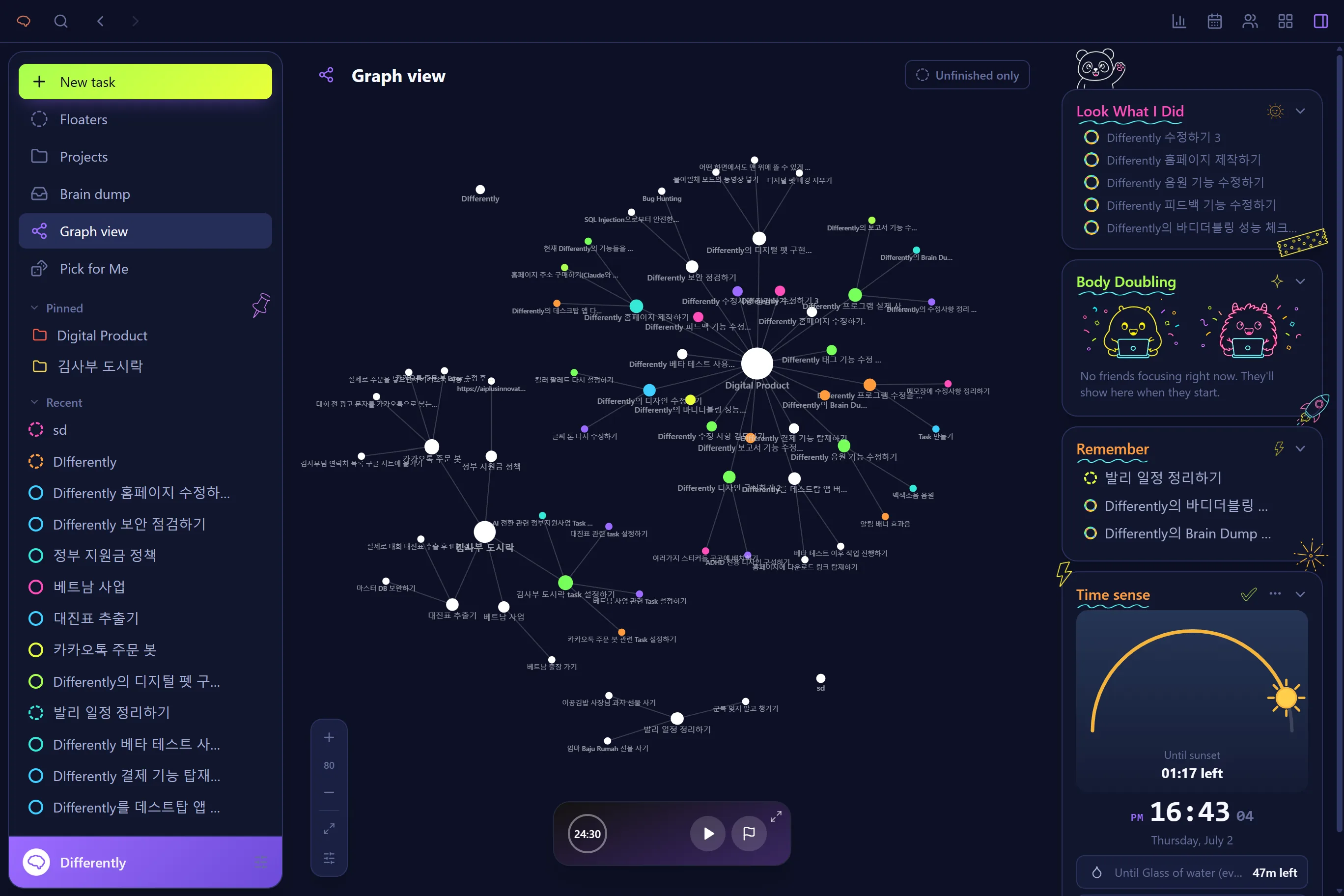
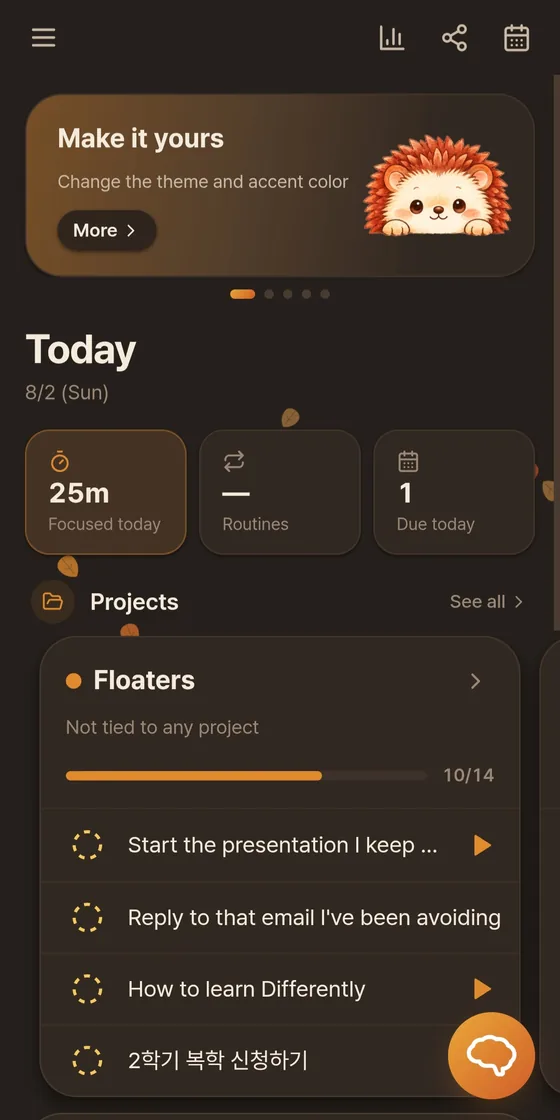
Differently in Light theme Differently in Dark theme Differently in Neon Sign · ND theme

In Neon Sign, a finished task earns a rainbow ring — a tiny firework, every time. Prefer stillness? Reduce-motion turns every animation off.

New · Graph view

Your work becomes
a small universe

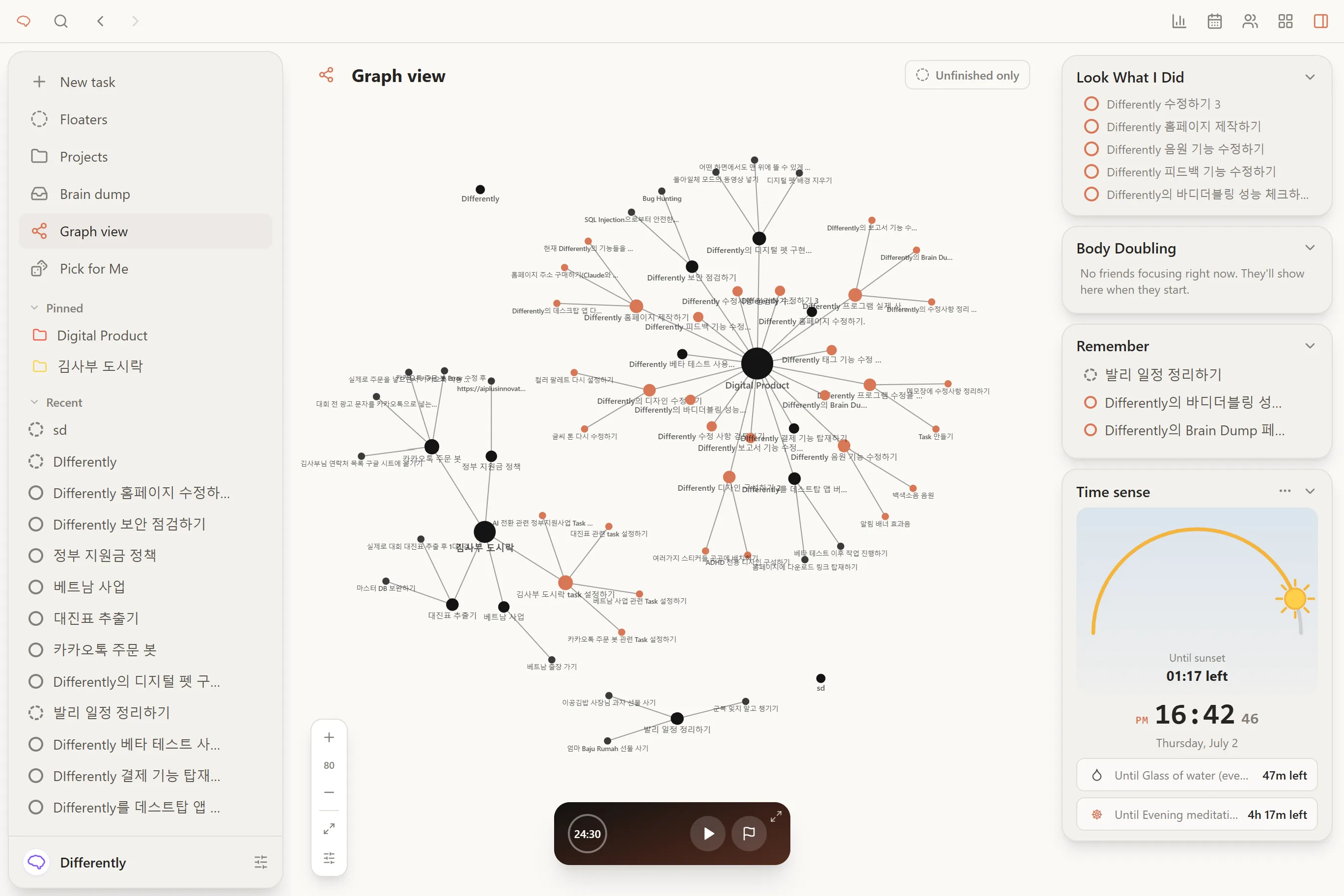
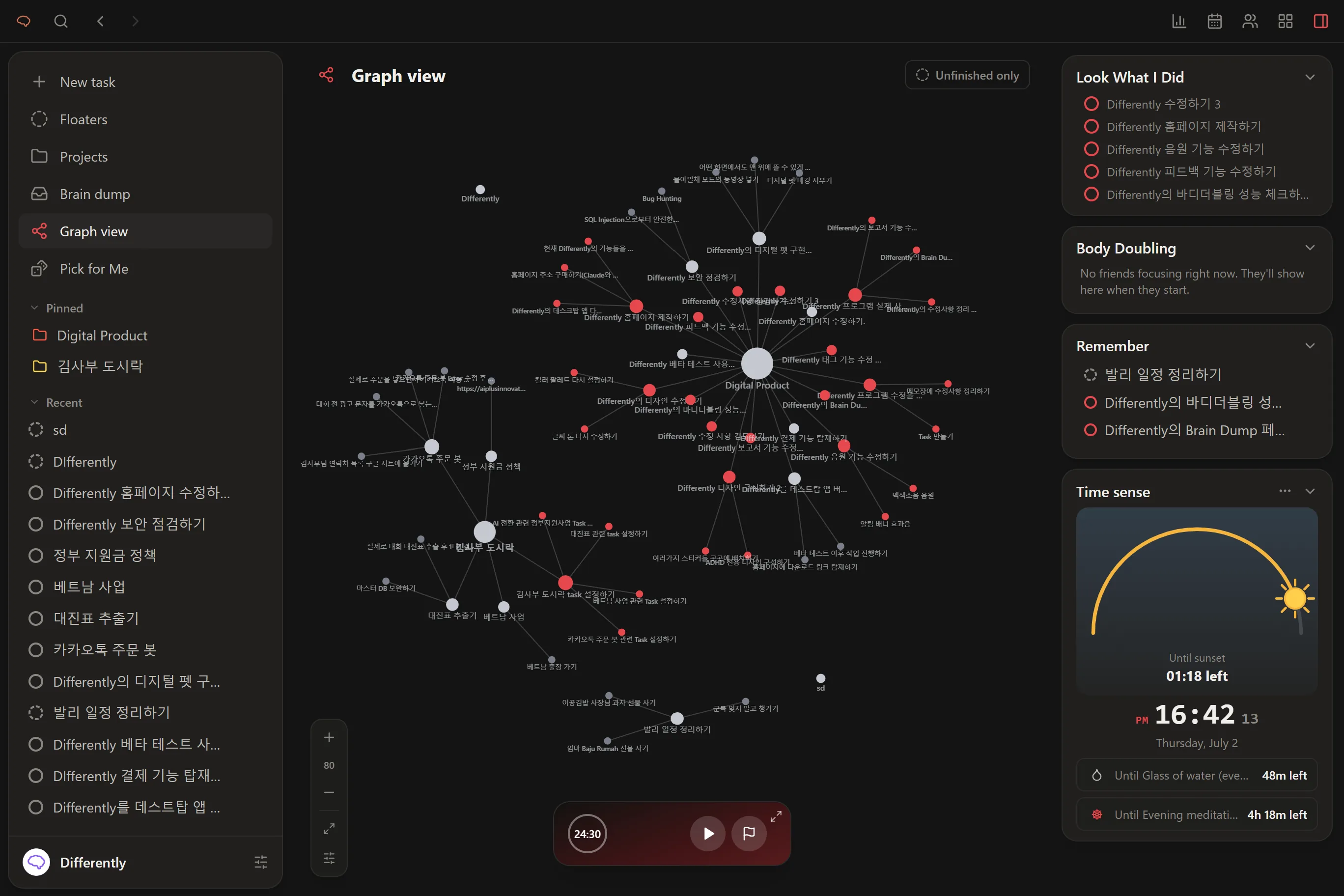
Every task, routine and project floats as a star, connected to what it belongs to. Finish one and it lights up in your personal color. 'What have I even done?' — just look up.

Graph view — tasks as a connected constellation (light theme) Graph view — tasks as a connected constellation (dark theme) Graph view — tasks as a connected constellation (neon theme)

Drag it, zoom it, watch it settle like real physics. The more you finish, the more your universe glows in your color — progress you can feel, not just count.

New · BrainDump board

A full head needs a floor,
not another list

An infinite whiteboard where thoughts land as sticky notes — anywhere, any size, with stickers. Nothing asks to be organized yet. When you're ready, throw notes into the four priority quadrants and they become real plans.

BrainDump — infinite whiteboard for scattered thoughts (light theme) BrainDump — infinite whiteboard for scattered thoughts (dark theme) BrainDump — infinite whiteboard for scattered thoughts (neon theme)

Minimap in the corner so you never get lost, one button to fly back to the center. Writing it down is the whole job — sorting can happen on a braver day.

Struggle 01

When you can't start

It's not that you don't want to — the 'start' switch won't flip. When your head is full and frozen, we break the start into small pieces.

"My to-do list was full, but I couldn't decide where to start and just froze."

Priority board

Four quadrants that answer 'what first?' before you can spiral. Sort once, then just do the top-left box. Memos welcome too.

Dedicated page

BrainDump board

An infinite whiteboard to empty your head onto — sticky notes, stickers, zero pressure to organize. Writing it down is already relief.

Pick for me

When too many options freeze you, the wheel picks one. Save the deciding energy for the doing.

Warm-up (start-up maze)

Thirty seconds of tiny maze to get the wheels turning. Once you're moving, the task follows.

Struggle 02

When time is invisible

The brain files time as 'now' or 'not now', so hours melt without a trace. We make time something you can see.

"It was supposed to be 5 minutes, but four hours had disappeared."

Focus now (flow timer)

One task on screen, a ring that visibly shrinks, and a pause button that dodges your cursor when you reach for excuses. Go past your estimate and it quietly celebrates instead of scolding.

Micro-pomodoro steps

A scary task becomes dots — one small pomodoro per step. You never face the whole mountain, just the next stone.

Struggle 03

When you keep forgetting

Out of sight is out of mind. We keep the important things visible — and make what you've done stay visible too.

"I was clearly busy, but the feeling of 'doing nothing' had me blaming myself again."

Now / Later

Two boxes. 'Now' holds only what's truly for now, so a long list can't freeze you. Everything else waits safely in 'Later'.

Must remember this!

Pin what you can't afford to forget and it stays on screen. A notification that disappears might as well never have existed.

Graph view · Report

Finished work piles up as glowing stars and honest charts. 'I did nothing' is the biggest lie — here's the data that refutes it.

Reminders that don't vanish

Due dates announce themselves ahead of time, and routine reminders arrive on your schedule. Forgetting isn't laziness — it's wiring. So we built around it.

Struggle 04

When you can't focus alone

Strangely, you focus when someone is near. We brought that 'together' feeling into the screen — it's called body doubling.

"Alone, excuses keep coming; with someone near, those excuses don't work."

Body Doubling (focus together)

Send a friend request with a code, get accepted, and share exactly one thing: whether you're focusing. No screens, no task names. Just the steady presence that keeps you going.

Buddy (desktop companion)

Turn on the timer and a little buddy appears in a corner, quietly working with you. Even alone, you're not quite alone.

Next

If you liked this